

How to Organize Your Gmail So You Never Miss Important Emails Again
Email is supposed to help us stay organized and informed.
Instead, for many people, it’s a constant source of stress.
Hundreds (or thousands) of unread messages. Important emails buried under promotions. And that subtle anxiety every time you open your inbox.
The good news is this: you don’t need a complicated system to fix it.
You just need a simple way to separate what matters from what doesn’t — and Gmail already gives you the tools.
Why Inbox Overwhelm Happens (And Why It’s Not Your Fault)
Most people use Gmail the same way they always have:
Everything flows into one inbox
Nothing gets filtered
Important emails get buried
The issue isn’t volume — it’s structure.
Once you add structure, Gmail starts working for you.
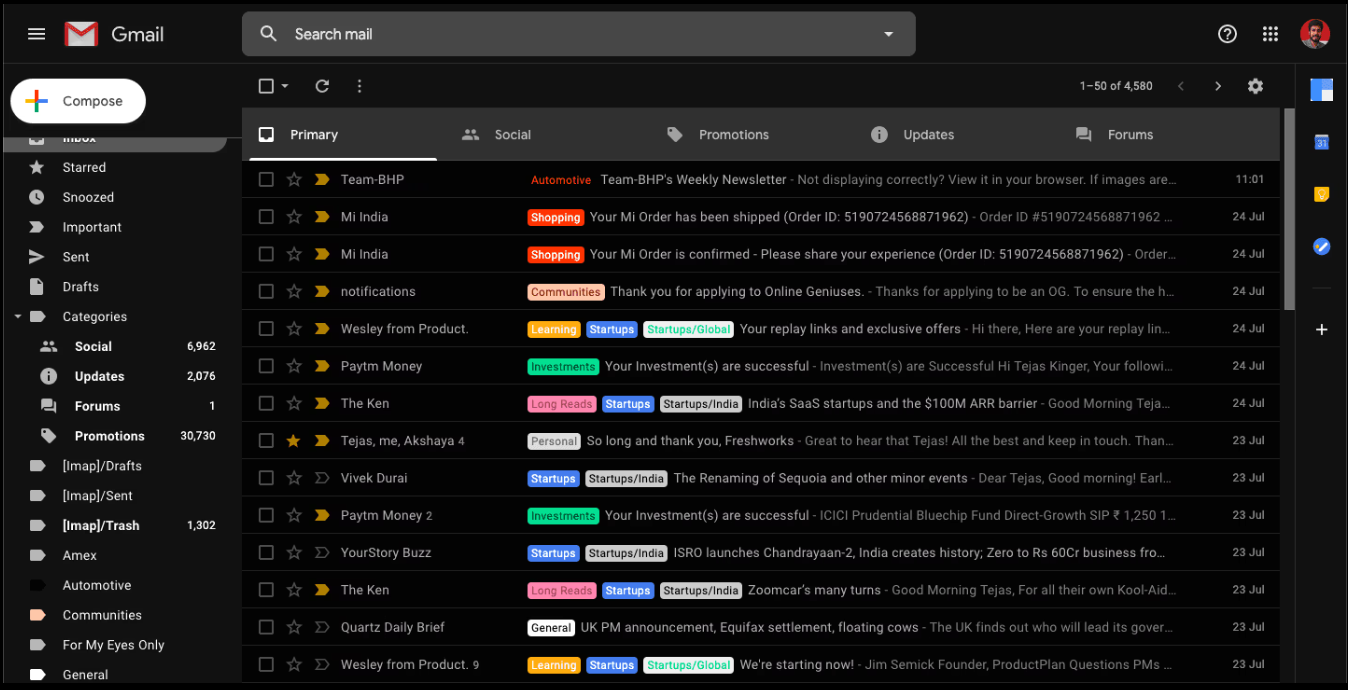
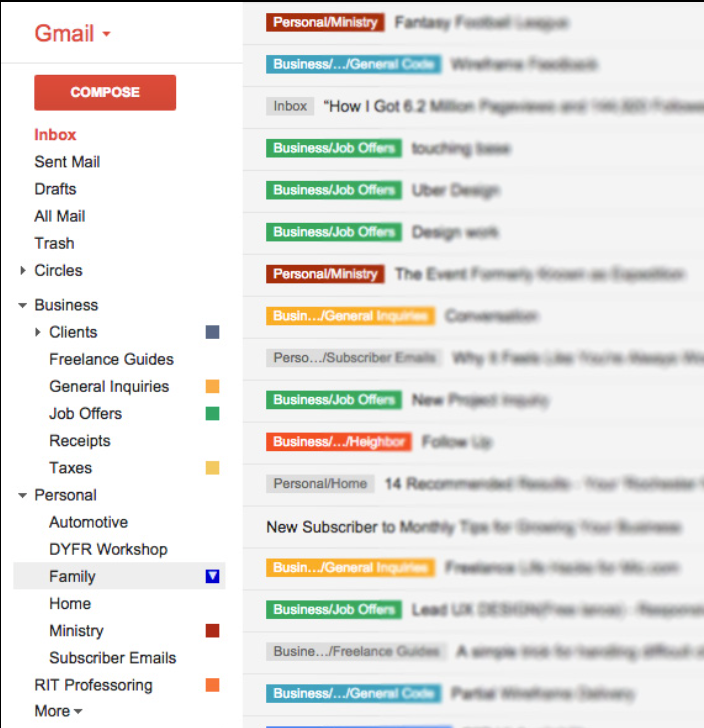
Gmail uses labels instead of folders. One email can have multiple labels, which makes organizing far more flexible.
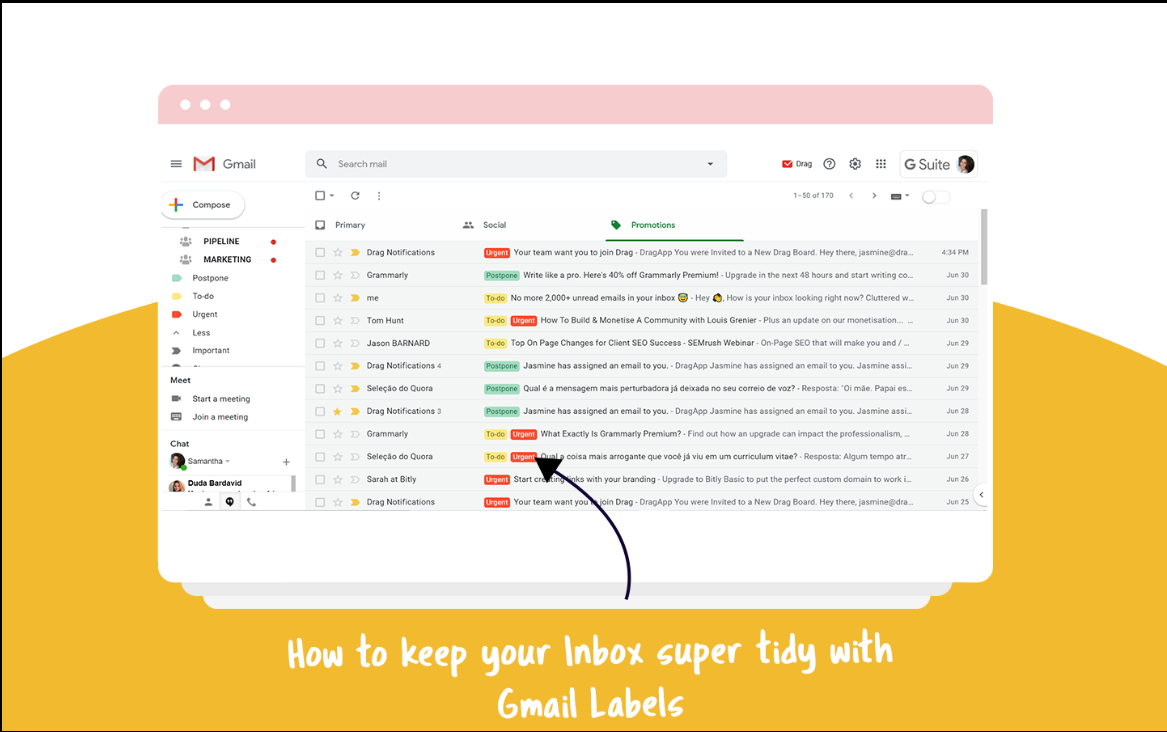
Creating a label in Gmail takes just a few clicks and helps organize emails automatically going forward.
Labels vs. Folders: The One Concept That Changes Everything
Before doing anything else, it’s important to understand how Gmail thinks.
🏷️ Gmail Uses Labels (Not Folders)
One email can have multiple labels
Labels don’t delete or hide emails unless you choose
Think of labels as tags, not filing cabinets
This flexibility is what makes Gmail powerful.
Step 1: Create a Few Simple Labels (Keep This Minimal)
Don’t overcomplicate this. Start with just four labels:
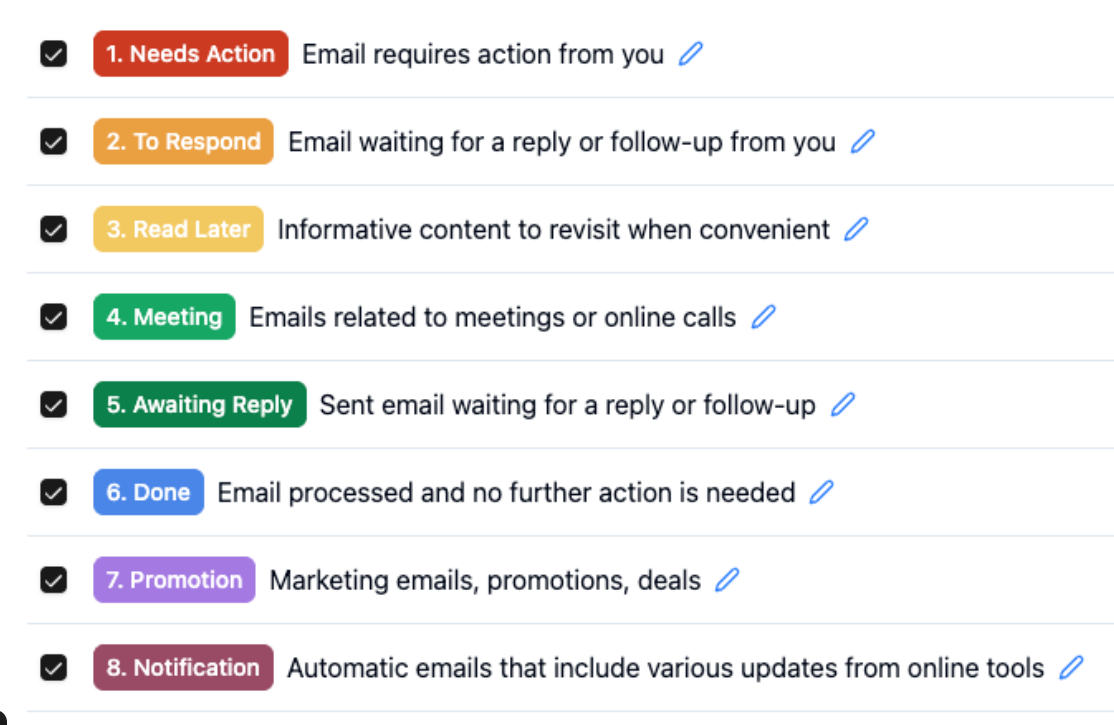
Action Needed
Newsletters
Receipts & Bills
Personal / Important
How to create a label:
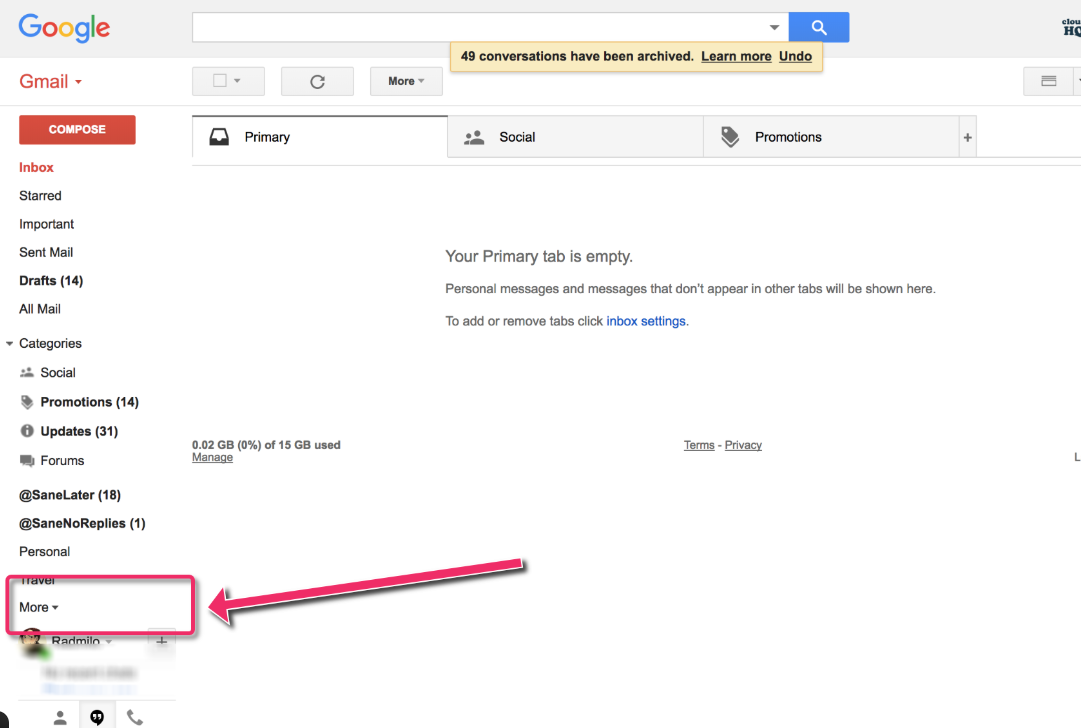
Scroll down the left Gmail sidebar
Click More
Select Create new label
Name it clearly
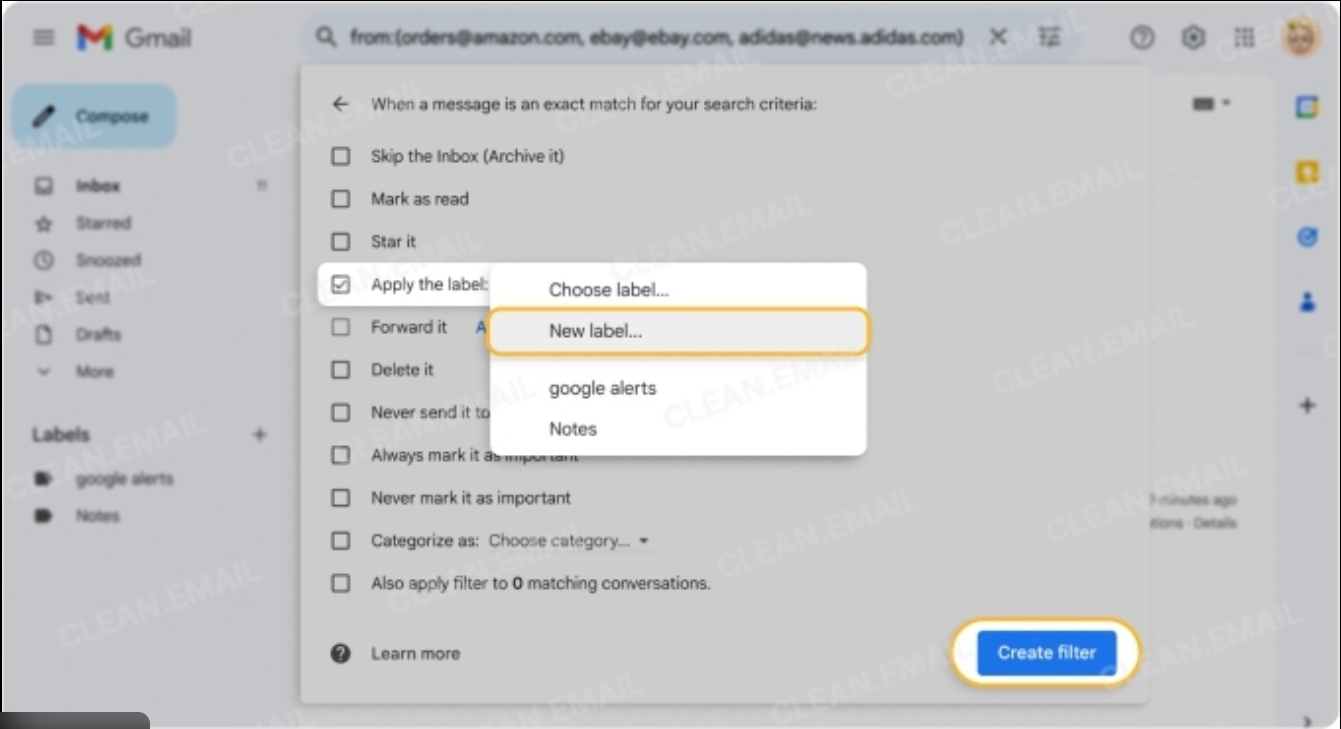
Gmail filters let you automatically label and organize emails before they ever hit your inbox.
💡 Pro tip: Fewer labels = less thinking = more consistency.
Step 2: Automatically Sort Emails Using Filters
Filters tell Gmail what to do before emails ever hit your inbox.
This is where inbox overwhelm disappears.
Example: Filter newsletters automatically
Open a newsletter email
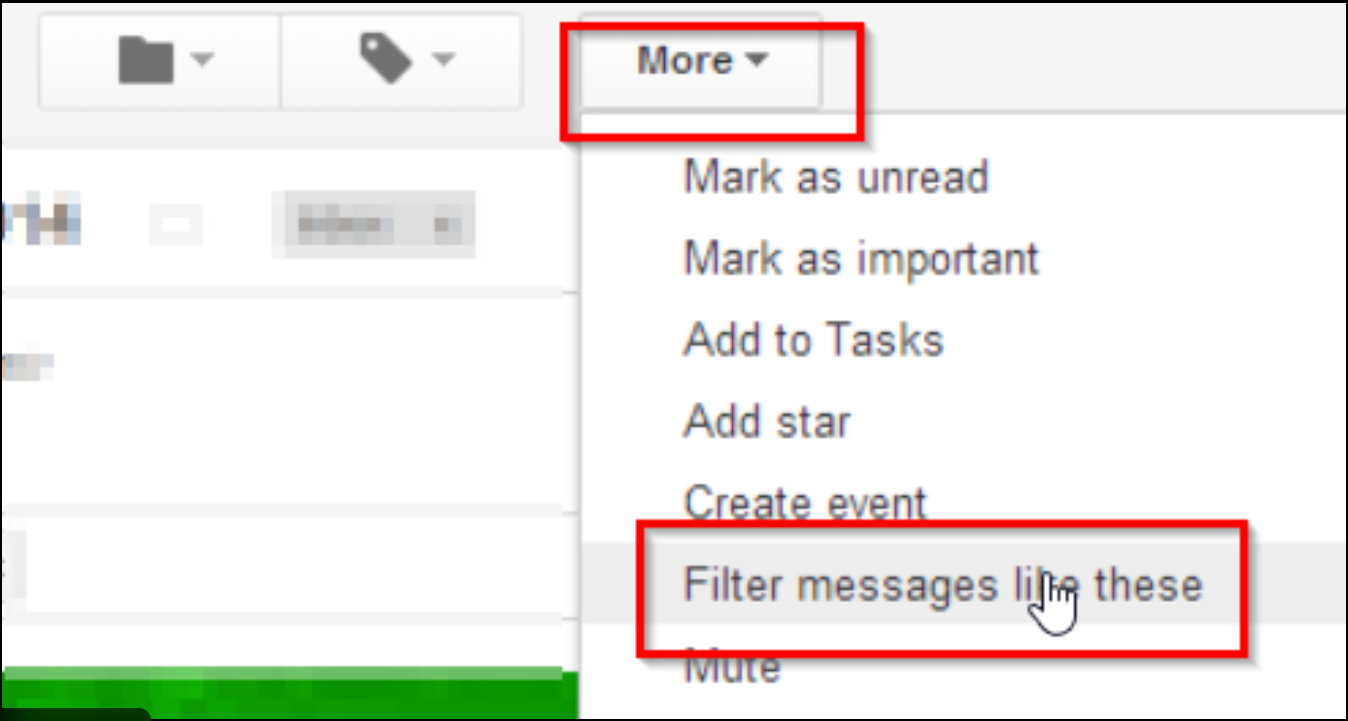
Click the three dots (top-right)
Select Filter messages like these
Click Create filter
Check:
Apply label → Newsletters
(Optional) Skip the inbox
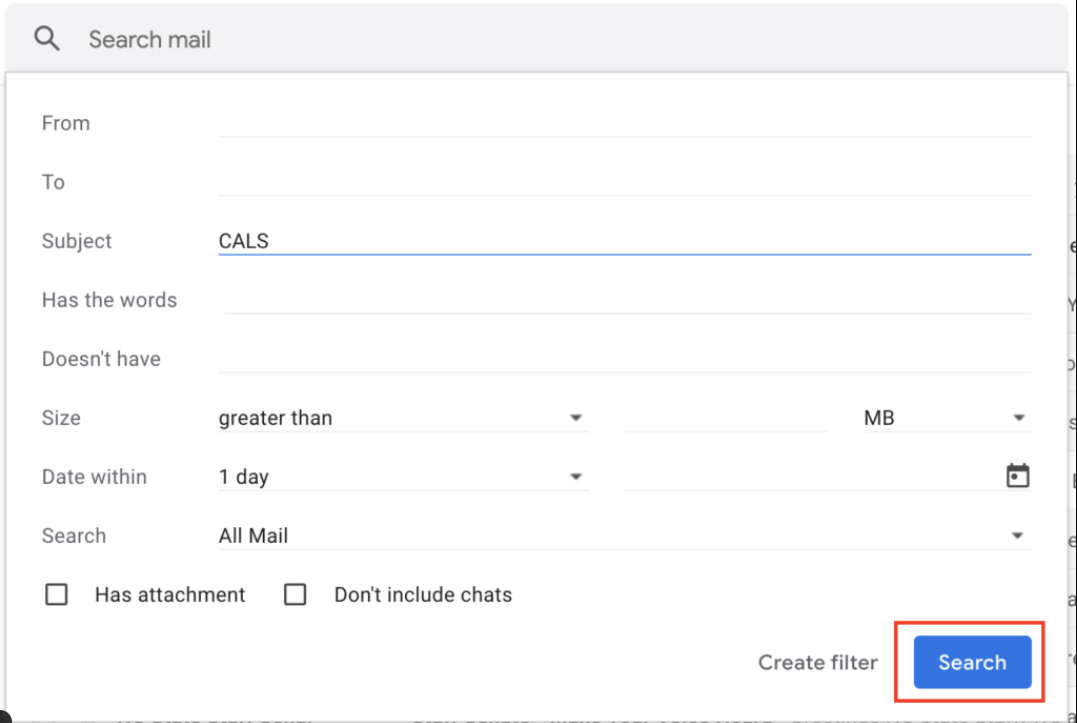
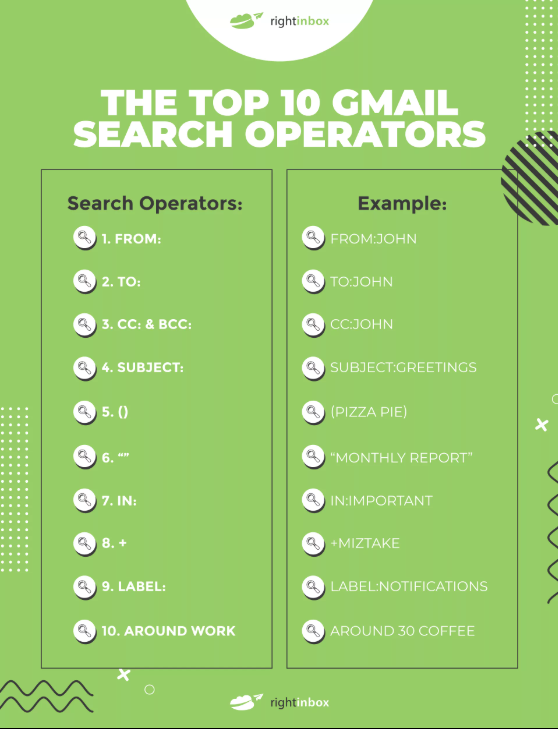
Gmail search operators make it easy to instantly find exactly what you need.
From now on, those emails organize themselves.
Step 3: Create a Dedicated “Action Needed” View
This is the most powerful part of the system.
Your inbox should not be a to-do list.
Instead, only emails that require action should demand your attention.
How to use the “Action Needed” label:
Apply it when an email needs a response or decision
Remove it when the task is complete
Archive only after action is done
Now, anytime you click the label, you instantly see what matters.
Step 4: Let Go of Inbox Zero — Aim for Inbox Clarity
Inbox Zero creates pressure.
Inbox clarity creates confidence.
With labels and filters in place:
Unread emails no longer equal stress
You trust your system
Important messages don’t get lost
This mental relief alone is worth the setup.
Step 5: Find Any Email Instantly Using Search
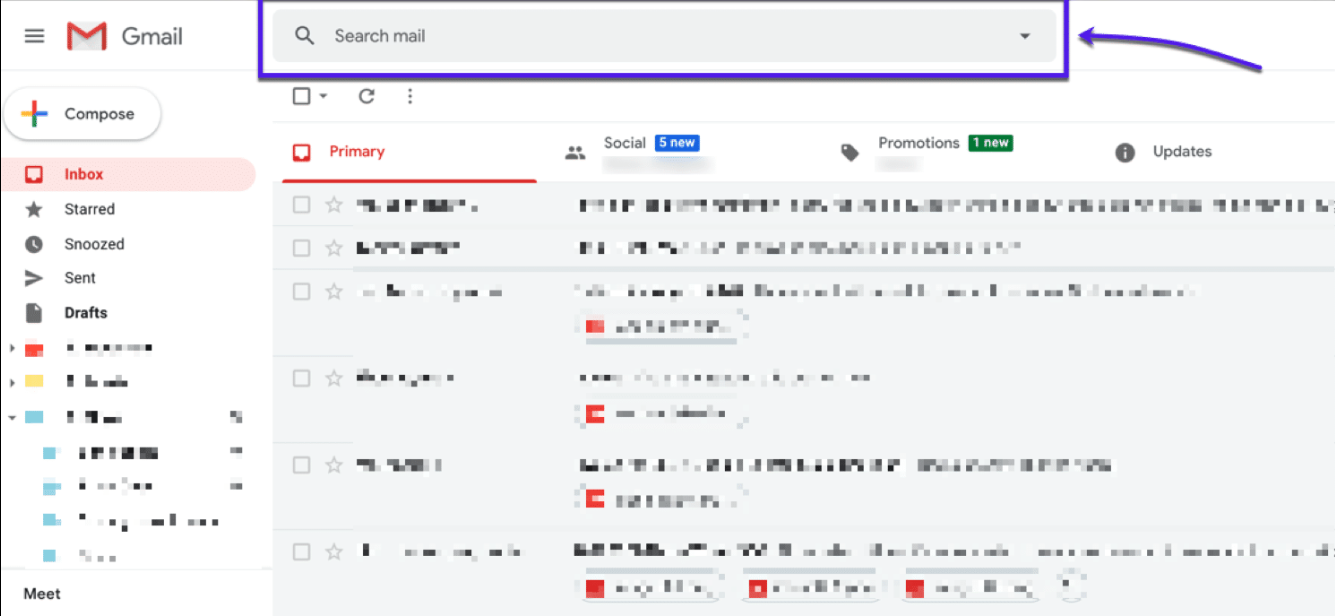
Once emails are labeled, Gmail search becomes incredibly powerful.
Try searches like:
label:action-neededlabel:newslettersfrom:amazonhas:attachment
No more scrolling. No more guessing.
Why This Simple System Matters More Than You Think
Email is where:
Opportunities arrive
Tasks pile up
Decisions stall
When your inbox is chaotic, your thinking becomes chaotic.
When your inbox is calm, everything else feels easier — especially if you’re:
Running a business
Learning AI tools
Managing multiple projects
Trying to grow income in 2026
Organization creates mental space.
Mental space creates progress.
Start Small (You Don’t Need to Fix Everything Today)
You don’t need to organize years of email.
Start with:
New emails only
One or two labels
One filter
You’ll feel the difference within a day.
Final Thoughts
You don’t need new tools.
You don’t need a complex system.
You don’t need to be tech-savvy.
You just need a clear starting point.
Organizing your Gmail is one of the highest-leverage, lowest-effort improvements you can make — and it pays you back daily in clarity and focus.