
The Best Way to Ask AI Questions So You Get Useful Answers
One of the most common things people say about AI is:
“I tried it… but the answers weren’t very helpful.”
In almost every case, the problem isn’t the AI.
It’s the question.
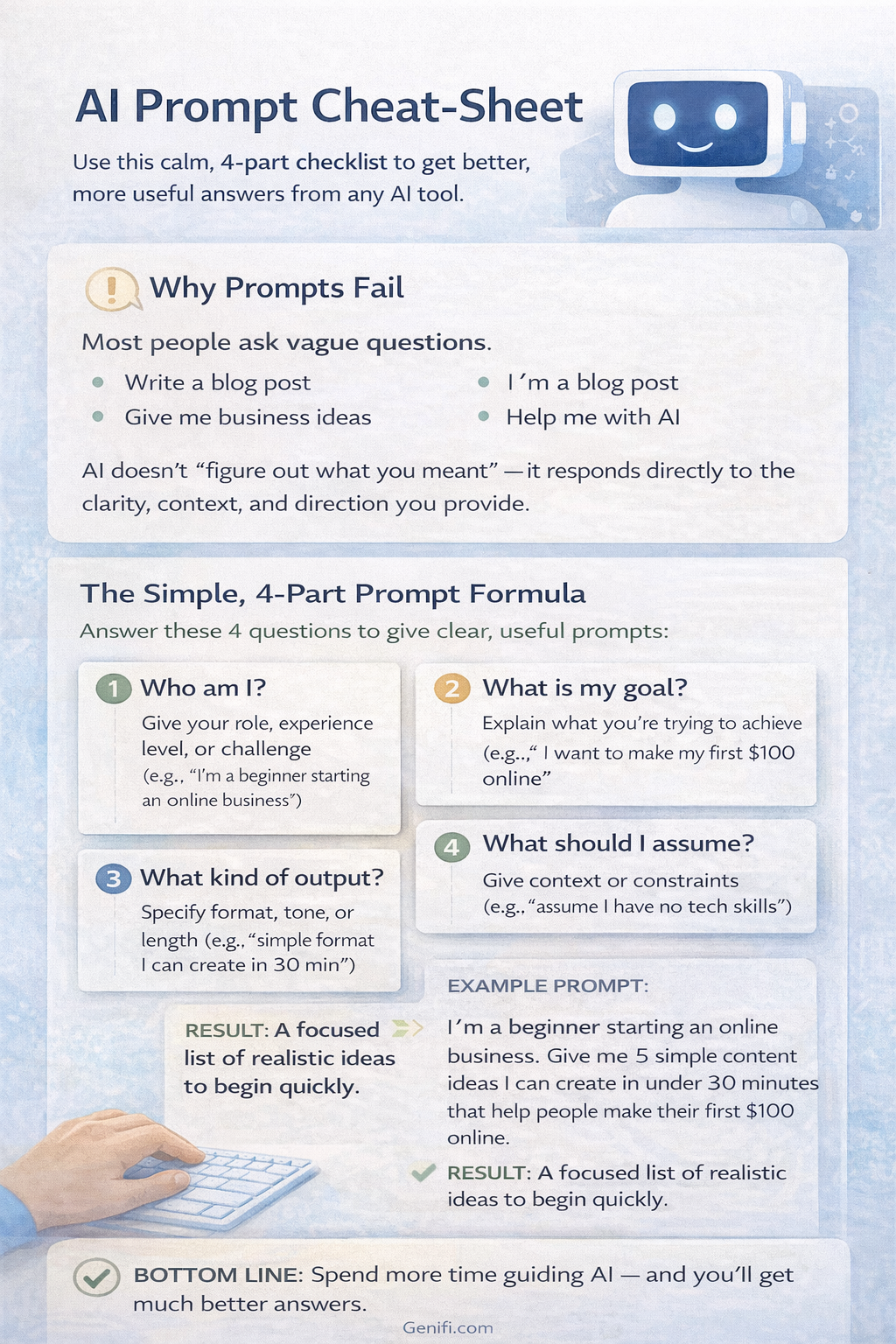
AI doesn’t think the way humans do. It doesn’t “figure out what you meant.” It responds directly to what you give it — the clarity, context, and direction of your input.
The good news?
You don’t need to be technical or learn complicated prompt formulas.
A few simple shifts in how you ask questions can dramatically improve the quality of the answers you get — immediately.
This article shows you the best way to ask AI questions so you get useful, relevant, and actionable responses.
Why AI Answers Often Feel Generic or Off-Target
When people feel disappointed by AI, it’s usually because they ask questions like:
“Write an email”
“Give me business ideas”
“How do I make money online?”
“Help me with AI”
These prompts are vague.
AI responds by:
Making assumptions
Playing it safe
Giving generic advice
The result feels shallow — because the input was shallow.
AI performs best when it understands:
Who you are
What you’re trying to do
What level you’re at
What you want right now
That’s where better prompting begins.
The Foundation: Prompt Basics (Keep This Simple)
You don’t need fancy prompt templates.
At its core, a good AI prompt answers three basic questions:
Who am I?
What am I trying to do?
What kind of output do I want?
That’s it.
Example of a weak prompt:
“Give me content ideas.”
Example of a strong prompt:
“I’m a beginner building an online business. Give me 5 simple content ideas I can create in under 30 minutes that help people make their first $100 online.”
Same request — vastly better result.
Step 1: Always Give Context First
Context is the single biggest upgrade you can make.
AI doesn’t know:
Your experience level
Your goals
Your time constraints
Your audience
Unless you tell it.
Add context like:
“I’m a beginner”
“I’m short on time”
“I want something simple”
“This is for email/blog/social”
“Assume I have no tech background”
Example:
Instead of:
“Write a blog post about AI”
Try:
“I’m writing for beginners who feel overwhelmed by AI. Write a calm, educational blog post explaining how AI can be used simply without hype.”
Context turns generic answers into relevant ones.
Step 2: Be Clear About the Outcome You Want
AI can produce many types of output.
If you don’t specify what you want, it chooses for you — and often misses the mark.
Be explicit about:
Length
Tone
Format
Purpose
Examples:
“Write a short explanation”
“Give me bullet points”
“Make this beginner-friendly”
“Avoid hype”
“Explain like I’m new”
Example:
“Explain this in simple terms for someone new to AI, using practical examples.”
Clarity saves time and reduces frustration.
Step 3: Ask AI to Ask You Questions
This is one of the most powerful — and underused — techniques.
If you’re unsure what to ask, say so.
Example:
“I’m not sure how to explain this idea clearly. Ask me 5 questions to help clarify my thinking before writing anything.”
This turns AI into a thinking partner instead of a guessing machine.
It also:
Reduces bad first drafts
Improves relevance
Helps you think more clearly
Step 4: Iterate Instead of Restarting
Most people make this mistake:
They don’t like the first response — so they start over.
That throws away context.
Instead, build on the same conversation.
Better approach:
“Make this simpler”
“Rewrite this for beginners”
“Add examples”
“Shorten this”
“Change the tone to be more supportive”
AI improves dramatically when you iterate.
Think of it like giving feedback to a human assistant — not hitting reset every time.
Step 5: Treat AI Like a Draft Partner, Not a Final Answer
AI is excellent at:
Drafting
Organizing
Summarizing
Clarifying
It is not meant to be the final authority.
Your role is to:
Review
Edit
Decide what fits
Remove what doesn’t
When you approach AI this way, results feel empowering instead of disappointing.
A Simple Prompt Formula You Can Use Daily
Here’s a simple structure you can reuse:
“I am [who you are].
I am trying to [goal].
I want the output to be [format/tone/length].
Assume I am [experience level].”
Example:
“I am a beginner learning to use AI for business. I want a simple explanation of how to write better prompts, using examples, in a calm and non-technical tone.”
This works across:
Writing
Research
Planning
Brainstorming
Learning
Why This Works (And Why Results Improve Immediately)
Better prompts:
Reduce guesswork
Improve relevance
Save time
Lower frustration
Most people don’t need new tools.
They just need to communicate more clearly with the tools they already have.
Once you experience better AI responses, confidence grows — and fear disappears.
Final Thoughts
AI isn’t magic.
But it is extremely responsive.
The quality of your results depends less on the tool — and more on how you guide it.
When you:
Provide context
Clarify your goal
Iterate instead of restarting
AI becomes a powerful assistant instead of a confusing one.
That single shift can transform how useful AI feels in your daily work — immediately.